
Key Takeaways
- Free trials are your testing ground – Most major SEO tools offer 7-14 day trials or permanently free limited tiers. Don’t skip this step. A tool that looks perfect in a demo video might frustrate you in real use.
- Budget matters, but not how you think – Some ~$50-$140/month tools outperform $299+/month competitors for specific tasks. Matching the tool to your actual needs beats chasing feature lists.
- The “best” tool for SEO depends entirely on your goal – Rank tracking tools are different animals from keyword research tools. A mistake many people make: buying one tool expecting it to do everything.
- You don’t need 5 tools – Most solopreneurs and small businesses get 80% of the results with a keyword research tool + rank tracker + backlink analyzer. That’s it.
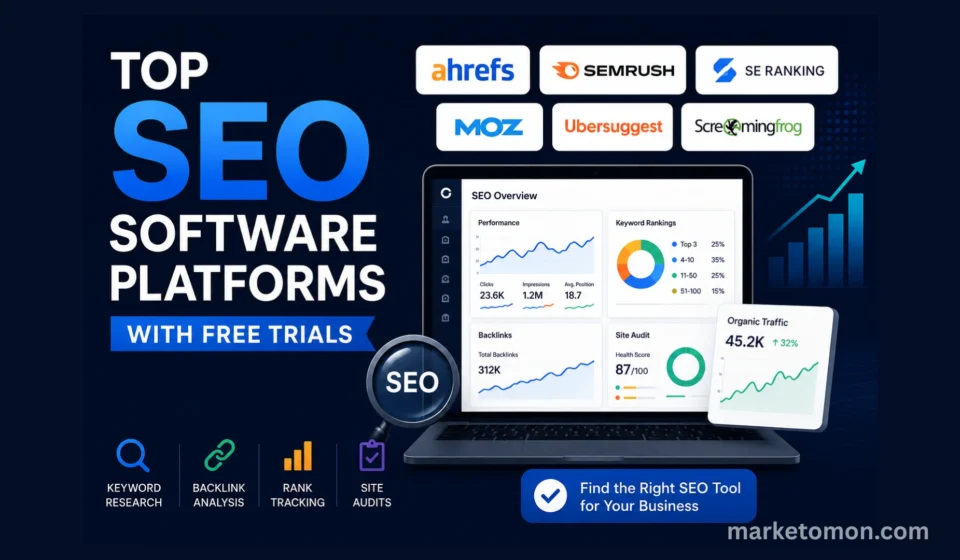
- Ahrefs leads for comprehensive SEO audits and backlinks. Semrush wins for keyword research and competitive data at scale. SE Ranking often beats them both on price‑to‑feature ratio for small teams.
- Google Search Console is still your foundation – Every paid tool supplements GSC. None replaces it. If you’re not using GSC data, you’re missing the biggest free asset you have.
- Free trials and free tiers often exclude premium features – Read the fine print. Some platforms limit you to basic reporting or hide their best features behind the paid version during the trial.
- The top 5 platforms (Ahrefs, Semrush, SE Ranking, Moz, Ubersuggest) can handle most SEO tasks for small‑to‑medium businesses. Everything else is optimization.
| Tool | Entry Pricing (2026) | Trial / Free Tier | Credit Card Required? | Notes |
|---|---|---|---|---|
| Ahrefs | Starter from $29/month; Lite from $129/month; Standard $249/month; Advanced $499/month; Enterprise $1,499/month. | No classic full-platform trial; Ahrefs Webmaster Tools (AWT) and limited free tools available. | Not for AWT; yes for paid plans. | Best for backlink analysis, competitor research, and SEO audits. |
| Semrush | Pro from $117.33/month (annual billing); higher Guru and Business plans available. | Standard 7-day trial; some partners offer 14-day trials. | Usually yes. | Excellent for keyword research, competitor intelligence, and marketing analytics. |
| SE Ranking | Plans start from approximately $129/month, depending on plan and billing. | 14-day full-feature trial. | Typically, no credit card is required. | Strong all-in-one SEO platform with rank tracking, audits, and competitor research. |
| Moz Pro | Starter from approximately $99/month (≈$79/month annually); higher tiers up to $299/month. | Usually, a 7-day free trial. | Yes. | Popular for local SEO and straightforward rank tracking. |
| Ubersuggest | Individual $29/month or $290 lifetime; Business $49/month or $490 lifetime; Enterprise $99/month or $990 lifetime. | 7-day paid-plan trial plus a permanent free tier. | Yes for paid-plan trials. | Affordable SEO tool designed for beginners and small businesses. |
| Screaming Frog | Free Lite version; paid license approximately £149/year (~$185-259/year). | Free Lite version supports up to 500 URLs per crawl. | No for Lite version; yes for paid license. | Industry-standard technical SEO crawler and audit tool. |
| Google Search Console | Free. | Always free. | No. | Essential first-party SEO data directly from Google. |
You’ve done the research. You know SEO matters. But choosing the right tool feels impossible when 50+ platforms claim to be the “best.”
The truth? Most of them are good. But they’re good at different things.
And that’s where people get stuck – buying tools that don’t fit their workflow, their budget, or their actual SEO priorities.
This guide walks you through the top SEO platforms with free trials or free tiers, what each one does best, their real limitations, and exactly how to test them without wasting time.
Why Free Trials Matter for SEO Tools
Before we jump into the list, let’s talk about why testing before buying is non‑negotiable for SEO software.
A free trial or free tier is the only way to answer the questions that matter:
- Does the interface make sense to you? Some tools have a learning curve that takes weeks. Others are intuitive in 10 minutes.
- Will it actually integrate with your workflow? Slack alerts sound nice until you realize they arrive in batches and become noise.
- Do the reports answer your specific questions? A rank tracker is useless if it doesn’t track the keywords you care about.
- Is the data quality accurate? Some tools show inflated traffic estimates or questionable keyword difficulty scores.
Most importantly: Trials let you validate assumptions without committing to a year‑long contract.
The problem with skipping the trial: You buy based on marketing, install the tool, spend 3 hours learning it, and then realize it wasn’t what you needed. By then, you’re already locked into a four‑figure annual commitment.
Trials fix that.
Top SEO Software Platforms With Free Trials
1. Ahrefs – Best for Comprehensive SEO Audits & Backlink Analysis
Free Options: Ahrefs Webmaster Tools (AWT) + free tier for verified sites; no standard full-platform free trial in 2026.
Pricing: Paid plans start at $29/month for Starter; Lite at $129/month for Lite, $249/month for Standard, $499/month for Advanced, and $1,499/month for Enterprise.
Best For: Agencies, SEO experts, serious content marketers.
Ahrefs is often called the industry standard for a reason. If you need to understand the backlink landscape of your site or your competitors, this is one of the most thorough options on the market.
What makes it different:
- Backlink analysis is among the deepest in the industry. When you check a competitor’s backlinks, you see the link, anchor text, link type, estimated traffic, and site metrics in one place.
- Site Explorer shows you the most-linked-to pages on any domain (competitor or your own), ranked by organic traffic and link metrics.
- Keywords Explorer includes “Clicks” data – an Ahrefs-specific metric that estimates actual Google Search clicks, not just search volume.
- Content Gap helps you find topics where competitors rank, but you don’t.
Real limitations (the fine print no one mentions):
- There’s no classic “7-day full trial” anymore. You’ll use AWT and limited free tools or start on Starter/Lite to evaluate.
- The learning curve is steep. Ahrefs has so many features that first-time users often miss the most powerful workflows.
- The published prices for the plans above are higher than the old $99/month baseline that many people remember.
- Data freshness for some metrics depends on crawl schedules; if you need very granular daily rank tracking, you may still pair this with a dedicated tracker.
Who should actually use it: Agencies managing multiple sites, competitive-analysis-focused marketers, and content teams that need to understand link-winning patterns at scale.
Who’s wasting money on it: Solo bloggers writing 2-3 posts per month who don’t need deep backlink data yet.
My take: Ahrefs is genuinely excellent, but it’s built for people who think in terms of backlinks and site authority. If that’s not your native language, it will feel heavy.
2. Semrush – Best for Keyword Research at Scale
Free Trial: Typically 7 days of access (credit card required), with 14-day extended trials available via certain partners.
Pricing: Pro starts around $117.33/month, with discounts on annual billing; higher-tier Guru and Business plans cost more.
Best For: Digital agencies, e-commerce sites, growth teams.
Semrush does fewer things than Ahrefs in link depth, but what it does, it tends to do with surgical precision for keyword and competitive research.
What makes it different:
- Keyword Research is outstanding. Seed a keyword and get thousands of related terms with search volume, keyword difficulty, search intent, and trend data.
- Competitive Intelligence is thorough. You can see what keywords a competitor ranks for, how much traffic they get, and how much they spend on ads.
- Site Audit catches technical issues quickly. It’s slightly less granular than a dedicated technical crawler but faster to run and easier to interpret.
- Sensor tracks Google algorithm turbulence in near real time, helping you see if a traffic drop aligns with a broader update.
Real limitations:
- The default free trial is short (about 7 days) and usually requires payment details, even if you’re not charged until the period ends.
- Rank tracking is solid but not the deepest; high-volume tracking may push you toward specialist tools or higher Semrush tiers.
- The interface is cluttered. With many toolkits packed into one sidebar, it can feel overwhelming.
- “Full access” on some promos excludes API and enterprise-grade features; watch plan limits during the trial.
Who should actually use it: E-commerce teams doing competitive keyword research, agencies managing client keyword strategies, and teams that need to understand competitor advertising spend.
Who’s wasting money on it: Beginners still learning SEO fundamentals – the tool can be too complex and pricey at that stage.
My take: Semrush is the heavyweight option for keyword research and competitor intel. If you’re doing SEO at scale, a properly structured 7-14 day trial is worth the time.
3. SE Ranking – Best Value for Money (The Underdog Winner)
Free Trial: 14 days of full access, no credit card required.
Pricing: Plans start around $129/month, depending on tier and billing; flexible limits for keywords and projects.
Best For: Solopreneurs, small agencies, bootstrapped startups.
SE Ranking is the dark horse nobody talks about enough, but probably should.
It lacks the brand prestige of Ahrefs or Semrush. Yet if you’re budget-conscious and want to actually get work done without a 3-week onboarding, it belongs on your shortlist.
What makes it different:
- Price-to-feature ratio is hard to beat. At around $44-49/month, you get rank tracking, keyword research, site audit, backlink analysis, and competitor tracking – all in one.
- Rank tracking is strong. Starter-level plans let you track hundreds of keywords without the steep jumps you see in some competitors.
- All-in-one toolset. Unlike a pure backlink tool or a pure keyword tool, SE Ranking covers research, tracking, audits, and competitor analysis in one platform.
- The UI is refreshingly clean compared to some older, more cluttered suites.
Real limitations:
- The backlink database is smaller than Ahrefs. For deep competitive link analysis, you’ll feel this gap; for understanding your own profile, it’s usually enough.
- International coverage and some country-specific datasets are narrower than the largest platforms.
- Feature updates arrive less frequently than in the biggest suites.
- Support is decent but not enterprise-grade.
Who should actually use it: Solo SEO consultants, small agencies with under 10 clients, content teams on tight budgets, and anyone who wants 80-90% of what bigger suites offer at a lower price.
Who’s wasting money on it: Large enterprise teams needing dedicated support or very deep backlink / log-level data.
My take: If you’re starting SEO or running lean, SE Ranking should be your baseline. Test it before paying for the more expensive options – you may realize you don’t need them.
4. Moz Pro – Best for Local SEO & Rank Tracking
Free Trial: Typically 7 days of access to Moz Pro (credit card required).
Pricing: Starter plan around $99/month (≈$79/month when paid annually), with Medium and higher tiers going up to roughly $299/month.
Best For: Local SEO, multi-location businesses, rank tracking-focused workflows.
Moz has been around since 2007 and is known for transparent, honest reporting. They don’t tend to hype features that aren’t there.
What makes it different:
- Rank tracking is strong for local SEO. You can track rankings by location, map position, and local pack visibility.
- Keyword research includes simple search intent classification (Commercial, Informational, Navigational, Transactional), which is handy for planning.
- Transparency in metrics. Domain Authority and Page Authority are documented, which many SEOs appreciate compared to opaque authority scores.
- Site Crawl surfaces fewer “false positive” issues, focusing your time on more meaningful problems.
Real limitations:
- The feature set is narrower. Moz Pro focuses on rank tracking, audits, and keyword research – no robust ad data or deep competitive intelligence suite.
- Rank data updates are slower than some dedicated daily trackers; if clients expect daily movement, you may need STAT or similar.
- Backlink data is smaller than Ahrefs and some other modern link indexes.
- Starter is affordable, but higher tiers ramp up cost quickly as you add campaigns and keywords.
Who should actually use it: Local SEO specialists, multi-location service businesses, and anyone wanting straightforward rank tracking without a complex UI.
Who’s wasting money on it: Agencies doing heavy competitor analysis across many domains where backlink and ad data are core.
My take: Moz Pro is for specialists, not generalists. If local SEO is your core, the 7-day trial is worth a focused test.
5. Ubersuggest – Best for Beginners (and Budget-Conscious Marketers)
Free Trial: Commonly a 7-day trial on paid plans, plus a permanently free limited tier.
Pricing: Individual plan at about $29/month or $290 lifetime; Business around $49/month or $490 for lifetime, Enterprise around $99/month or $990 lifetime.
Best For: Beginners, solopreneurs, and content teams on tight budgets.
Ubersuggest is Neil Patel’s answer to expensive SEO tools. It’s not trying to outdo Ahrefs on depth; it’s trying to give you most of what you need at a lower price point.
What makes it different:
- Very low barrier to entry. The combination of a free tier and sub-$50 paid plans makes it accessible to freelancers and solo creators.
- Interface is beginner-friendly. You don’t get buried in dozens of metrics straight away.
- Keyword research is solid for small content projects, covering volumes, difficulty, and basic ideas.
- Content Ideas lets you see top-ranking content for a keyword and analyze word count, backlinks, and sites.
Real limitations:
- Data accuracy is a common concern. Some users report inflated keyword volume estimates and rough difficulty scoring; for client reporting, double-check numbers elsewhere.
- Backlink data is weak compared to specialist link tools.
- Rank tracking setup isn’t as streamlined as competitors; expect a bit of friction at first.
- Support is largely email-based and slower than live chat options.
Who should actually use it: Content creators learning SEO, freelancers on a budget, and solo consultants handling their own sites.
Who’s wasting money on it: Agencies managing multiple client accounts that need high-confidence data, or anyone whose primary job is link analysis.
My take: Ubersuggest is good enough to learn on and run simple campaigns. For a professional SEO practice, plan to graduate to something like Ahrefs or SE Ranking once you hit its limits.
6. Google Search Console – The Foundation (Free, Always)
Cost: Free.
Best For: Everyone with a website.
This isn’t an “SEO tool with a free trial.” It’s your non-negotiable baseline.
GSC is where Google tells you:
- Which queries your site appears for and average positions.
- How many people see and click those results?
- Which pages are indexed and which fail coverage checks?
- Core Web Vitals performance.
- Mobile usability issues.
- Manual actions or penalties affecting visibility.
Why it matters:
Every paid tool shows you estimated data. GSC shows you actual data from Google’s own logs for your properties.
Real limitations:
- It tells you what happened, not exactly what to do next.
- The interface is functional but not a “modern app” polished.
- You only see data for verified sites, not competitors.
My take: Use GSC as your foundation. Layer paid tools on top to fill gaps (competitor analysis, rank tracking, backlink data). Never try to replace GSC with a paid tool.
7. Screaming Frog – Best for Technical SEO (Crawling & Audits)
Free Tier: Lite version is free indefinitely, limited to 500 URLs per crawl.
Pricing: Paid SEO Spider license is renewed annually, commonly around £149/year or roughly $185-259/year depending on region and reseller.
Best For: Technical SEO audits, large-scale site crawls.
Screaming Frog is different from everything above. It’s a desktop application, not a cloud SaaS, and it’s built for technical crawling first.
What makes it different:
- Desktop-based crawling is fast and resilient. It can crawl large sites (tens of thousands of URLs) without the timeouts you sometimes see in browser-based tools.
- The free Lite version is genuinely useful. Many consultants use it for initial technical checks.
- Integrations with Google Analytics and Google Search Console enrich your crawl with performance data.
- Log file analysis support lets you see exactly what search bots are doing on your site.
Real limitations:
- The paid license is now annual, not a one-time lifetime purchase, so treat it as an ongoing tooling cost.
- The interface is powerful but not intuitive. Budget learning time.
- It crawls your site, not competitors’ sites, for full link/keyword intel (though you can crawl competitor URLs for technical patterns).
Who should actually use it: Technical SEOs, developers, agencies handling large sites, and anyone needing deep crawl data beyond what cloud audits offer.
Who’s wasting money on it: Beginners, you’ll get more immediate value from built-in site audits in Ahrefs, Semrush, or SE Ranking.
My take: If technical SEO is a significant part of your work, the annual Screaming Frog license pays for itself. If not, the free Lite version is still a great way to learn technical basics.
Comparison Table: Which Tool for Which Job?
| Your need | Best choice | Why |
|---|---|---|
| Beginner learning SEO | Ubersuggest or Semrush Pro trial | Low cost, simple interface, lots of education and templates. |
| Keyword research at scale | Semrush Pro | Thousands of keyword ideas with rich intent and volume data. |
| Backlink analysis & audits | Ahrefs | Deep backlink index and robust audit toolkit. |
| Value for money (all‑around) | SE Ranking | Rank tracking + keyword research + audit in one affordable tool. |
| Local SEO | Moz Pro | Local rank tracking and map pack optimization features. |
| Technical audits & crawls | Screaming Frog | Fast desktop crawling and log file analysis for large sites. |
| Rank tracking focus | SE Ranking or Moz Pro | Both have strong, easy‑to‑read ranking modules. |
| Competitor intelligence | Semrush | Keywords, ads, and competitive traffic estimates in one place. |
| Agency managing 5+ clients | Ahrefs or Semrush | Multi‑site management and mature reporting for clients. |
How to Actually Test These Tools (The Right Way)
Most people trial a tool by logging in, poking around for 20 minutes, and moving on. Then they make a decision based on gut feeling.
Here’s how to actually test a tool before committing:
Step 1: Define Your Actual Problem
Before starting a trial, write down:
- What specific SEO task am I struggling with right now?
- What decision do I need this tool to help me make?
- What would “success with this tool” look like?
(This prevents the “I’ll figure it out during the trial” approach that wastes your time.)
Step 2: Set Up With Real Data
- Plug in your actual website URL, not a test site
- Import keywords you’re actually targeting
- Check competitor sites that actually compete with you
If you use the demo data they provide, you won’t see if the tool fits your real workflow.
Step 3: Try to Answer Your Specific Problem
Spend 60% of your trial time on one specific task that matters to you.
Example: “I want to find 20 new keywords we could rank for in the next 6 months.”
Go deep on that one task instead of clicking around, exploring every feature.
Step 4: Ask These Four Questions
- Did the tool answer the question I came to ask?
- How long did it take to get that answer? (If it took 2 hours for a simple report, that’s friction.)
- Did I trust the data? (Can I confidently present this to a client or team?)
- Would I use this tool every week, or just occasionally?
If the answers are: Yes, quick, trust it, and weekly use – it’s worth buying.
The Hidden Costs Nobody Talks About
Free trials are free. But the tools aren’t. Before you buy anything, factor in:
1. Learning time: Some tools require 5 hours to get productive. Others take 30 minutes. That’s time you could spend doing actual SEO work. Factor this into your cost calculation.
2. Integration costs: Some platforms charge extra for Zapier, Slack, or API integration. Check the fine print.
3. Data overages: Track your keyword limits carefully. Going over your limit might require an upgrade ($300+/year) or a cost per extra keyword.
4. Training time for your team: If you’re buying a tool for your team, everyone needs training. Semrush is more complex than SE Ranking. That’s training hours you need to budget.
5. Switching costs: If you’re switching from one tool to another, you lose historical data (rank tracking, audit history, etc.). This is why testing before committing matters.
One Tool Isn’t Enough (And That’s Okay)
Here’s the uncomfortable truth: one SEO tool doesn’t do everything.
The best-performing agencies use multiple tools:
- SE Ranking or Ahrefs for rank tracking and keyword research
- Screaming Frog for technical audits
- Google Search Console for actual performance data
- Ubersuggest or a dedicated SERP tracker for competitor keyword monitoring
The total cost? Probably $200-400/month for a small agency.
But here’s what people get wrong: they think they need all these tools from day one.
You don’t.
Start with one tool that covers your biggest pain point. If you’re struggling with keywords, start with keyword research. If you’re struggling with rankings, start with rank tracking.
Add tools only when your current tool can’t answer a question that’s costing you business.
FAQ: Common Questions About SEO Tool Free Trials
Q: Can I extend the free trial if I don’t finish testing?
A: Usually not. Some tools (Moz, Semrush) let you reach out to support and ask for an extension if you’re genuinely testing. But don’t count on it. Plan to make your decision within the trial window.
Q: Will the tool charge me automatically after the trial ends?
A: Yes, unless you cancel. The terms vary:
- Tools with “no credit card required” trials (Semrush, SE Ranking) won’t charge you automatically.
- Tools requiring a credit card (Moz) will charge you unless you explicitly cancel before the trial ends.
Set a calendar reminder 2 days before your trial ends, regardless of which tool you’re testing.
Q: Is the free trial the full version or a limited version?
A: It varies:
- Ahrefs: Limited (some advanced reports excluded)
- Semrush: Full access (everything is available)
- SE Ranking: Full access
- Moz: Full access
- Ubersuggest: Full access
- Screaming Frog: Lite version free (pro features require purchase)
Check the fine print during signup to see what’s restricted.
Q: Can I use the free trial for client work?
A: Technically yes, but practically… be careful. If your client loves the reports and you keep using a free trial, you’re operating unsustainably. Buy the tool or switch to something free (Google Search Console).
Q: What if I don’t like any of these options?
A: There are 50+ other SEO tools. But most of them are either specialists (doing one thing) or reskins of the platforms above. Start with the top 7. If none of them fit, then explore the niche tools.
The Tool Stack That Actually Works (For Different Business Types)
You’re a solo blogger/freelancer:
- Google Search Console (free)
- SE Ranking (from roughly $44-49/mo) or Ubersuggest (from $29/mo, with a low‑cost lifetime option)
- Screaming Frog free Lite version (up to 500 URLs per crawl)
Total cost: about $29-49/month (plus optional Ubersuggest lifetime if you choose it)
You’re a small agency (2-5 people, 5-20 clients):
- Google Search Console (free)
- Ahrefs (Starter from $29/mo; Lite from $129/mo) or Semrush Pro (around $117-140/mo) – pick based on whether you prioritize backlinks or keywords
- Moz Pro (Starter around $49-99/mo depending on plan/discounts) for rank tracking if your clients care about local SEO
- Screaming Frog SEO Spider paid license (annual, roughly $185-259/year)
Total cost: roughly $230-350/month in recurring software + ~$185-259/year for Screaming Frog
You’re a content team in-house (10+ people):
- Google Search Console (free)
- SE Ranking or Ahrefs (typically $49-129+/mo depending on scale and plan) for keyword research
- Semrush Pro (around $117-140/mo) for competitor intelligence and broader market data
- Moz Pro or SE Ranking ($49-99+/mo range depending on plan) for rank tracking
- Screaming Frog SEO Spider annual license (roughly $185-259/year)
Total cost: roughly $350-550/month in recurring software + ~$185-259/year for Screaming Frog
Final Thought: Your First Tool Should Answer Your Biggest Question
You’re not going to know what’s the “best” tool for you until you’ve tested it.
The trial exists so you can answer this question: Does this tool help me make a decision I’m currently stuck on?
If it does, buy it. If it doesn’t, move to the next option.
The best tool isn’t the one with the most features or the biggest brand. It’s the one that makes your actual work faster.
Start your free trial this week. Don’t overthink it. Test it against your real problem. See if it helps.
The worst that happens? You spend 14 days learning a tool, decide it’s not for you, and pick a different one. The best that happens? You find the tool that becomes your competitive advantage.
Further Reading: